
🔒 Internal page — not linked anywhere and not indexed. Made for taking screenshots of every screen of the travel app.
All demo screens
Live HTML mockups from the same source as the app design (no images), filled with demo data: a trip around Lake Balaton.
Main tabs
The tab bar of the app, in order.
Good morning Willem
↓ 17° ↑ 25° · ☔ 10 %

say: KUH-suh-nuhm ▶
Today dashboard
Planning
Planning
Alex
At your service
Alex · travel guide
Currency
Currency
Expenses
Shared expenses
Notes
Practical
Parking garage Kálvin tér 12 · gate code 4711. Key box at reception, code 2208.
Not to be missed
- Tuesday: market in Siófok, cash only
- Table booked Thursday 19:30 · Halászcsárda
- Sofie’s inhaler is in the blue bag
Notes
Practical info
Stories and facts are adaptations of Wikipedia articles (Wikipedia contributors, CC BY-SA 4.0) and of Wikidata (CC0).
Practical info
Sharing

Sharing
Settings
Settings
Screens you open from a tab
Sub-pages behind a widget, a day or a banner.
Weather
Csopak · updated 9:41Weather
from the weather widget on Today
Day 1
Mon 15 Sep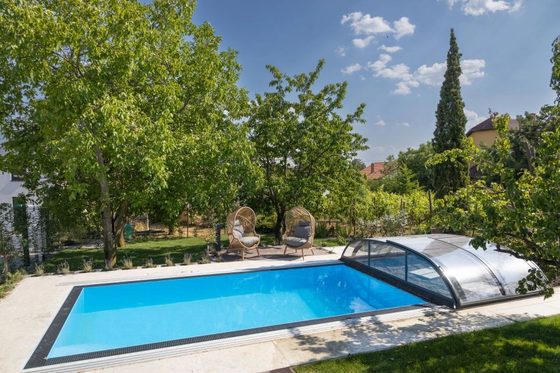
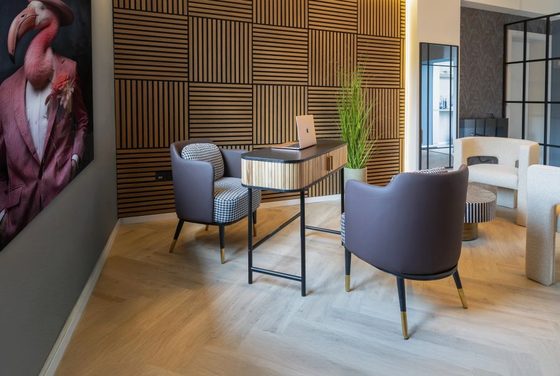
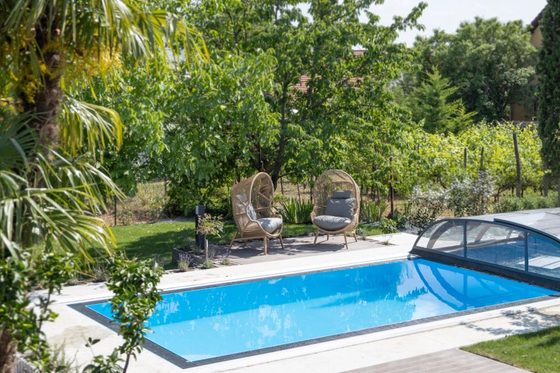
Between the vineyards above Csopak, ten minutes from the lake.
The oldest building on the lake, and the one everyone photographs. Ask Alex what happened here.
tihanyiapatsag.hu ↗Taste Olaszrizling at the best-known winemaker on the north shore.
figula.hu ↗Short walk uphill, panorama over the whole lake.
csopakregio.hu ↗Music and young wine on the main square of Csopak.
csopak.hu ↗Hotel page
from a day in the Planning tab
Phrases
🇭🇺 Hungarianjoo REG-gelt ▶
KUH-suh-nuhm SAY-pen ▶
kayt shurt KAY-rek ▶
hol o MOSH-doo ▶
o SAAM-laat KAY-rem ▶
Phrases with pronunciation
from the word of the day
Alex
Hi, I am Alex
I tell you what is special about the place where you are standing — what happened here, what you can see, and the detail you would never find yourself.
Alex · introduction
first time you open the Alex tab
What is special here?
TihanyTihany Abbey
This is the Benedictine abbey of Tihany, founded by King Andrew I in 1055 on the steep eastern edge of the volcanic hills. The king intended a mausoleum for future Hungarian kings; the plan had an unexpected outcome, as Andrew himself became the only king buried here. Above you stands the 18th-century Baroque church with its two onion-shaped towers. Be sure to visit the lower church: the Romanesque crypt is almost a thousand years old, with six heavy pillars and thick walls.
- Aranyház means Golden House: the volcanic cone owes its name to the pale yellow mineral crust on its rocks.
- In the protected western part no roads are allowed — 400 hectares of forest must stay untouched.
- The lavender fields were the first industrial lavender plantation in Hungary.
What is special here?
from "What is special here?"
What is this?
your photo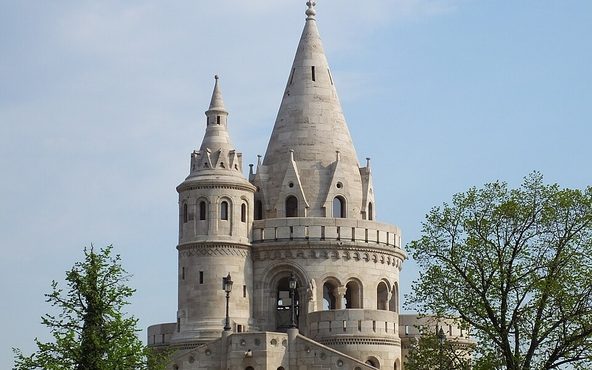
Fisherman’s Bastion
Never a fortress — that is the joke. Frigyes Schulek built this between 1895 and 1902 as a pure viewing terrace for the millennium of Hungary, leaning against the real medieval city wall. The seven towers stand for the seven Magyar chieftains who rode into this basin in 895, one tower per tribe. The name comes from the fishermen's guild that had to defend this stretch of wall in the Middle Ages. It was badly damaged in the Second World War; the restoration was led by János Schulek — the builder's own son.
Take a photo · what is this?
from "Alex, what am I looking at?"
Where do you want to go?
TihanyPick an interesting place nearby, or search for a destination yourself.
Plan a day trip
from "Plan a day trip" in the Alex tab
Veszprém
18 km18 km from your current location
Veszprém: the city of queens on five hills
Every Hungarian queen was crowned here by the bishop of Veszprém — a privilege the city held for nine centuries, which is why it still calls itself the city of queens. The castle quarter stands on a rock above the Séd valley, and from the viaduct you look straight down onto the roofs. In 2023 Veszprém was European Capital of Culture, together with the whole Balaton region.
A destination
from a destination in the list
Watch out for scams
🇭🇺 HongarijeWatch out for scams
from the scam banner on Info
Day 3
Wed 17 SepOn the hill of Tihany, with a view of the abbey towers.
The oldest building on the lake. The founding charter of 1055 holds the first written Hungarian words.
tihanyiapatsag.hu ↗Walking route across the peninsula, past the inner lake.
balaton-uplands.hu ↗Baroque programme in the abbey church. Indoors, so rain is no problem.
tihanyiapatsag.hu ↗dag-tihany
Day 4
Thu 18 SepAmong the vineyards below the basalt hill of Badacsony.
Volcanic columns above the lake, one hour uphill.
badacsony.com ↗Wine museum in an old press house, with a terrace over the vineyards.
badacsony.com ↗Wine makers of the hill pour on the harbour square, with live music.
badacsony.com ↗dag-badacsony
Return trip
Fri 19 SepDrop the car at Budapest airport three hours before departure. The drive is about two hours, so leave the lake by nine.
Right along the route, a good last stop before the airport.
herend.com ↗dag-terug
detail
Travel agency house style (white label)
The same app in the colours of a travel agency, with its banner above the tab bar. Demo trip: a city break in Porto (no currency screen — Portugal uses the euro).
Bom dia Sofie
↓ 12° ↑ 20° · ☔ 15 %
say: oh-bree-GAH-doe ▶
Today dashboard
Weather
Porto · updated 9:41Weather
from the weather widget on Today
Alex
At your service
Alex · travel guide
What is special here?
PortoCais da Ribeira
The oldest district of Porto, a Unesco World Heritage Site since 1996. For centuries the rabelo boats unloaded their port-wine barrels here for the cellars across the river. Look up at the Ponte Dom Luís I from 1886 — designed by Théophile Seyrig, the partner of Gustave Eiffel.
What is special here?
from "What is special here?"
Phrases
🇵🇹 Portuguesebong DEE-a ▶
MWIE-toe oh-bree-GAH-doe ▶
doysh KAH-lie-sesj de POR-toe ▶
ON-de è a KAH-za de BA-njoe ▶
a KON-ta poer fa-VOR ▶
Phrases with pronunciation
from the word of the day
Planning
Planning
Day 2
Fri 10 Apr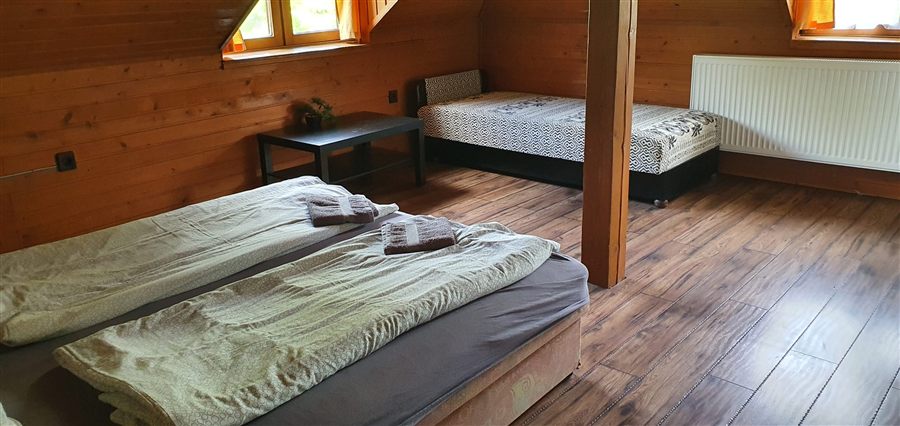
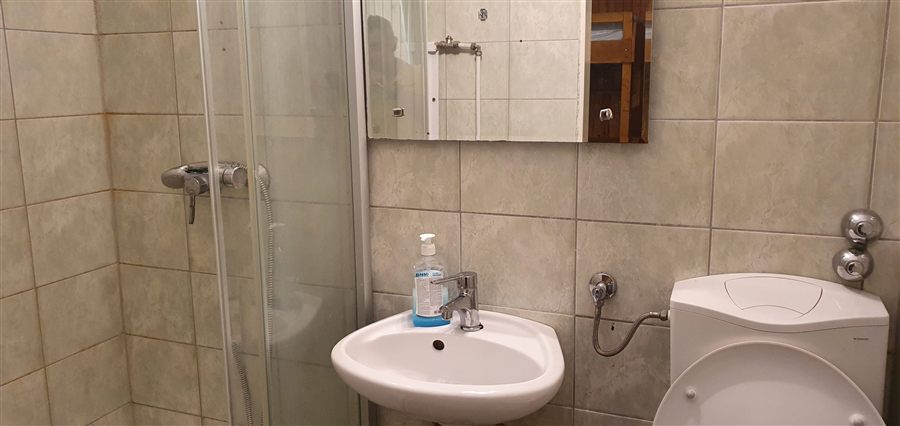
Guesthouse on the quay, 100 m from the Ponte Dom Luís I · 📍 Ribeira.
Ask for Joana at the office on the quay — she walks the alleys no map shows.
Guided tour of the 1890 cellars, ending with three ports.
grahams-port.com ↗Fifty minutes on the Douro past all six bridges of Porto.
douroacima.pt ↗The finest view over the Ribeira and the bridge — best light at sunset.
visitporto.travel ↗Hotel page
from a day in the Planning tab
Practical info
Stories and facts are adaptations of Wikipedia articles (Wikipedia contributors, CC BY-SA 4.0) and of Wikidata (CC0).
Practical info
Watch out for scams
🇵🇹 PortoWatch out for scams
from the scam banner on Info
Expenses
Shared expenses
Alex
Hi, I am Alex
I tell you what is special about the place where you are standing — what happened here, what you can see, and the detail you would never find yourself.
Alex · introduction
first time you open the Alex tab
Where do you want to go?
PortoPick an interesting place nearby, or search for a destination yourself.
Plan a day trip
from "Plan a day trip" in the Alex tab
Guimarães
43 km43 km from your current location
Guimarães: where Portugal began
The castle above the town is called the cradle of the nation, and it owes that name to the founding of the County of Portucale and to Portuguese independence. It has been a national monument since 1908, and in 2007 the Portuguese themselves voted it one of the Seven Wonders of Portugal. It is one of the most visited monuments in the north: 302,761 people came through the gate in 2022. Below it lies the historic centre, a maze of wooden balconies and granite arcades.
A destination
from a destination in the list
What is this?
your photo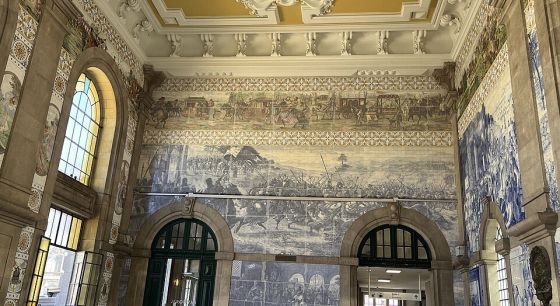
São Bento station
You are standing in the entrance hall of Porto-São Bento, and what makes this station famous is exactly what you photographed: more than twenty thousand azulejos on the walls. The station was officially inaugurated on 5 October 1916. Take a moment for the large panels — they show scenes from Portuguese history — and for the narrow frieze along the top, which runs through the centuries above your head.
Take a photo · what is this?
from "Alex, what am I looking at?"
Settings
Settings
detail
Trial version (before payment)
What the traveller sees in the free trial: every relevant tab is fully visible, exactly as above. The planning is fully shown (flights and rental car included) but every day carries a lock; Alex shows the “pay to unlock” pop-up as soon as you ask him something, and on the other tabs that pop-up only appears when data is requested. This is the reference for the whole preview package.
Good morning Willem
↓ 17° ↑ 25° · ☔ 10 %
say: KUH-suh-nuhm ▶
Today dashboard
Free in the trialPlanning
Planning
Fully visible · a lock on every day
Alex
At your service
Alex · travel guide
Pop-up as soon as Alex is asked something
Currency
Currency
Fully visible · pop-up only when data is requested
Expenses
Shared expenses
Fully visible · pop-up only when data is requested
Notes
Practical
Parking garage Kálvin tér 12 · gate code 4711. Key box at reception, code 2208.
Not to be missed
- Tuesday: market in Siófok, cash only
- Table booked Thursday 19:30 · Halászcsárda
- Sofie’s inhaler is in the blue bag
Notes
Fully visible · pop-up only when data is requested
Practical info
Stories and facts are adaptations of Wikipedia articles (Wikipedia contributors, CC BY-SA 4.0) and of Wikidata (CC0).
Practical info
Fully visible · pop-up only when data is requested
Sharing
Sharing
Fully visible · pop-up only when data is requested
Settings
Settings
Fully visible · pop-up only when data is requested